Most bloggers pay for an AI image generator before they've pushed a free plan to its limit. So I gave four free AI image generators the exact same featured-image job and compared what came back.
This test of the best free AI image generators covers ChatGPT, Gemini, Ideogram and Leonardo, all on free accounts, on 18 November 2026. You'll see every real result and the score for each. I did not test any paid plan, but I list what the paid plans cost and when upgrading makes sense for a blog.
In this article
The short answer
For most bloggers, a free plan is enough. ChatGPT Free and Leonardo Free both produced a clean 16:9 featured image with the exact text I asked for. Pay only when you need volume, private images, more models or commercial certainty for client work.
- Best free result: ChatGPT Free and Leonardo Free (9/10 each).
- Most options per try: Ideogram Free, with 4 versions at once.
- Fastest: Gemini, about 20 seconds, but it put the note in the wrong place.
- Cheapest step up: Leonardo Essential at $12 a month, or Midjourney Basic at $10 (Midjourney has no free plan).
How I tested the free AI image generators
I used one prompt that matches a real blogging task, a featured image with a short headline on it. Text inside images is where image generators often fail, so it is a good stress test:
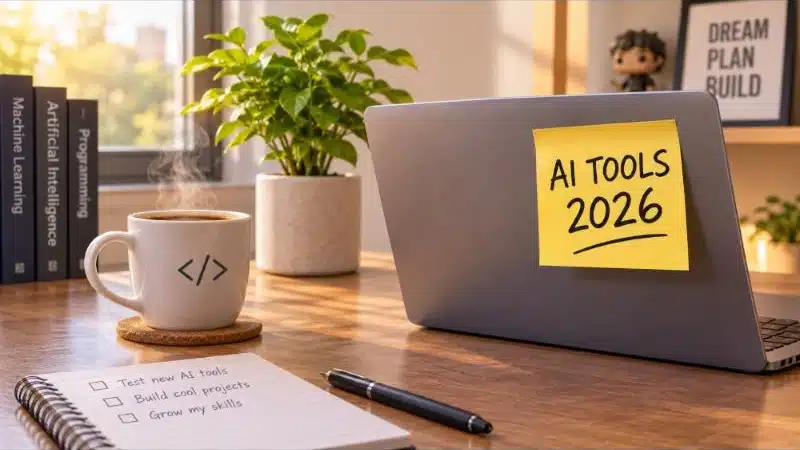
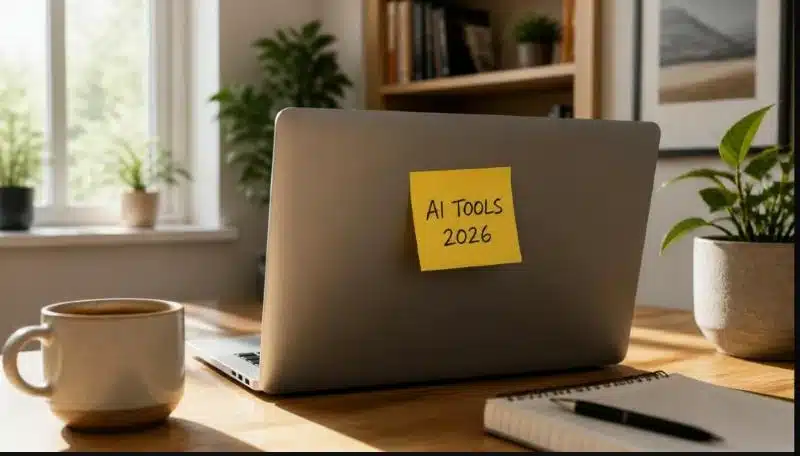
Create a wide 16:9 blog featured image: a cozy home office desk with a laptop, a cup of coffee and a small plant in soft morning light, photorealistic. On a yellow sticky note stuck to the laptop, write exactly: AI TOOLS 2026
- Same prompt, one try each, free accounts only, default settings (except Leonardo, where I switched the size from 1:1 to 16:9 like any blogger would).
- What I checked: is the text exactly right, is the note on the laptop as asked, is it 16:9, the image size, and roughly how long it took.
- Screenshots are the real results, shown at 800 pixels wide.
Free AI image generators test results
| Tool (free plan) | Text “AI TOOLS 2026” | Note on the laptop | Size | Time | Images per try |
|---|---|---|---|---|---|
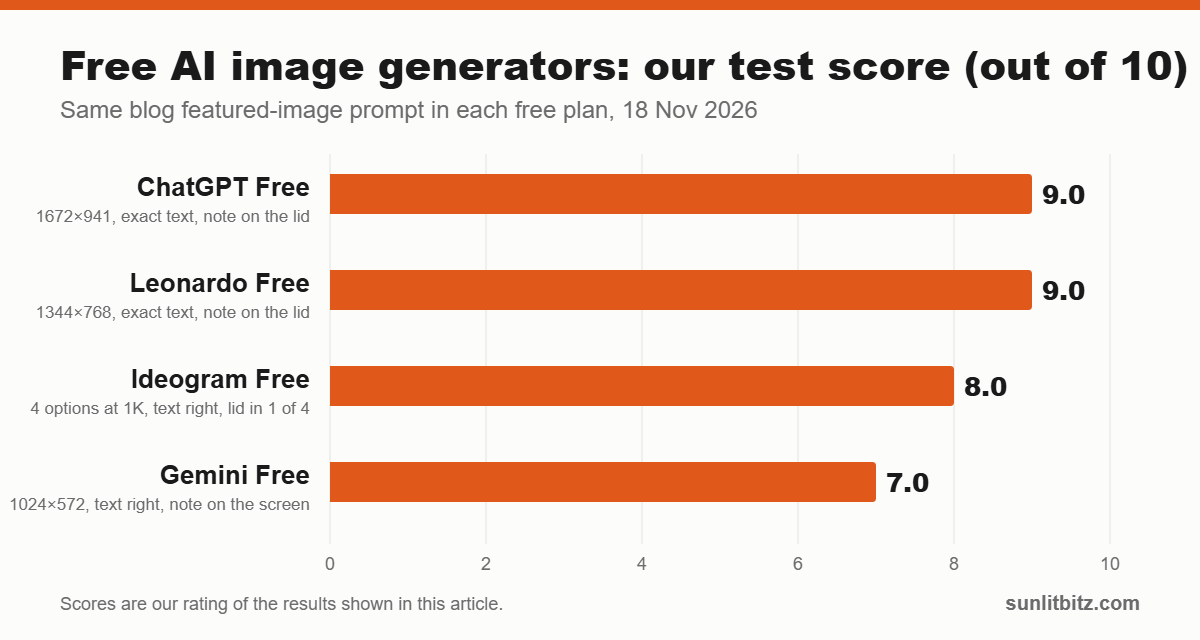
| ChatGPT Free | ✅ exact | ✅ on the lid | 1672×941 | ~42 s | 1 |
| Leonardo Free | ✅ exact | ✅ on the lid | 1344×768 | under 30 s | 1 |
| Ideogram Free | ✅ right | ⚠️ lid in 1 of 4 | 1024×576 (1K) | ~28 s | 4 |
| Gemini Free | ✅ right | ❌ on the screen | 1024×572 | ~20 s | 1 |
ChatGPT Free: best overall result
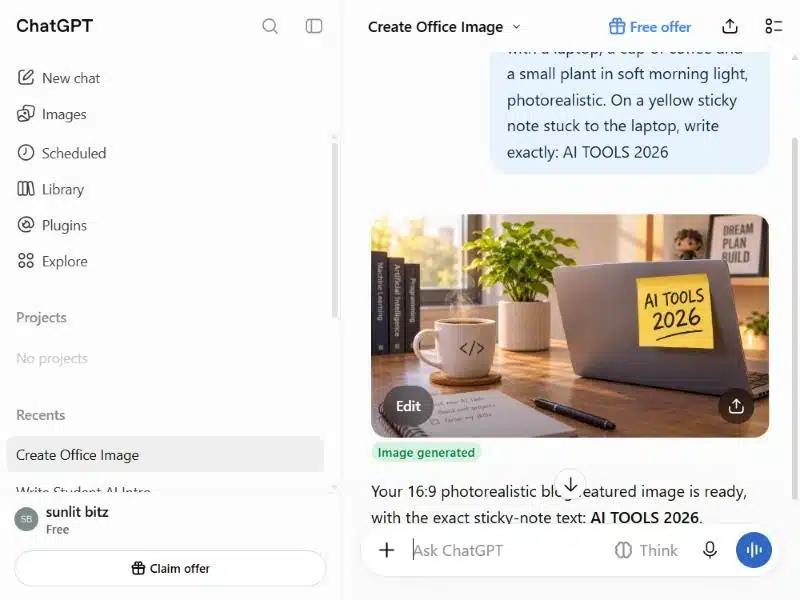
ChatGPT gave the sharpest image in the test, 1672×941 pixels, in about 42 seconds. The sticky note sits on the laptop and reads exactly “AI TOOLS 2026”, and it even added on-topic details like books labelled “Machine Learning” and “Artificial Intelligence”. No visible watermark.
The catch is volume. OpenAI's pricing page lists the free plan as “Limited image creation” without a number, so you can't plan a big batch of images on it.
Leonardo Free: best free plan for regular use
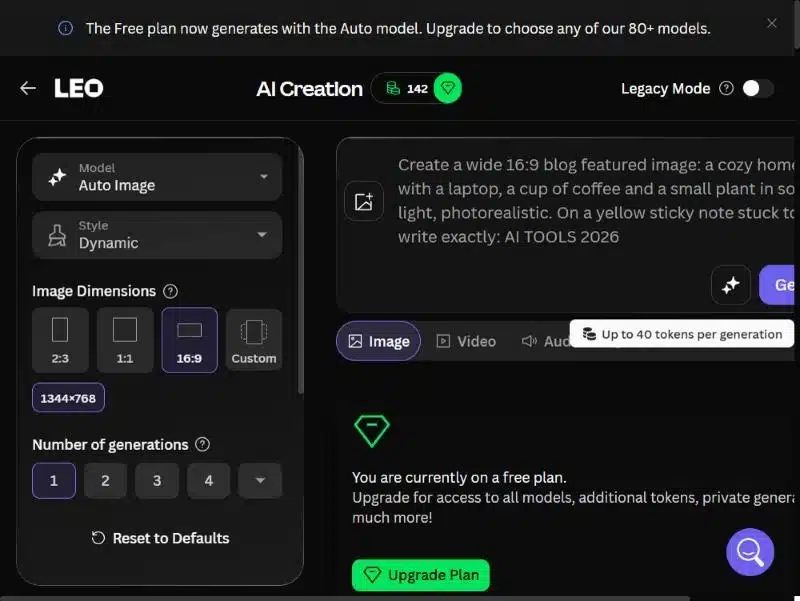
Leonardo matched ChatGPT on accuracy: exact text, note on the lid, and a clean 1344×768 image. The free plan starts with 150 tokens; this image used 8 of them, and the app says a generation can cost up to 40 tokens.
Two limits to know: free accounts now use only the “Auto” model (a banner says so), and the size defaults to 1:1 square, so switch it to 16:9 for featured images. The upgrade box also lists private generations as a paid feature, so treat free images as public.
Ideogram Free: most choices per try
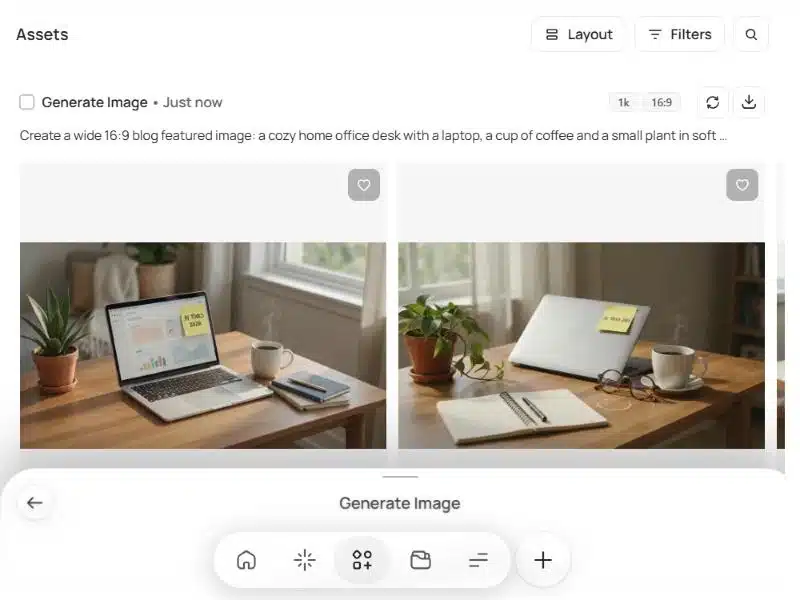
Ideogram returned four 16:9 versions at once in about 28 seconds, labelled 1K. All the notes I checked read “AI TOOLS 2026”, but only one of the four put the note on the laptop lid; the others stuck it on the screen. The Generate button showed a cost of 12 free credits.

Gemini Free: fastest, but less accurate
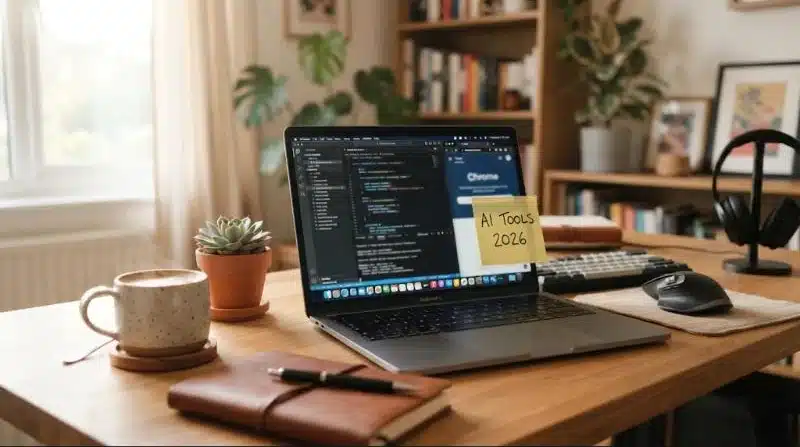
Gemini was the quickest, about 20 seconds, and spelled the text right. But it put the note on the laptop screen instead of the lid, and its image was the smallest at 1024×572. It is still a solid free option if you already use Google.
Key Takeaway: In our test, the free plans of ChatGPT and Leonardo already produced publish-ready featured images with correct text. For a typical blog, the free plan is good enough to start.
What paid AI image generators cost (prices, not tested)
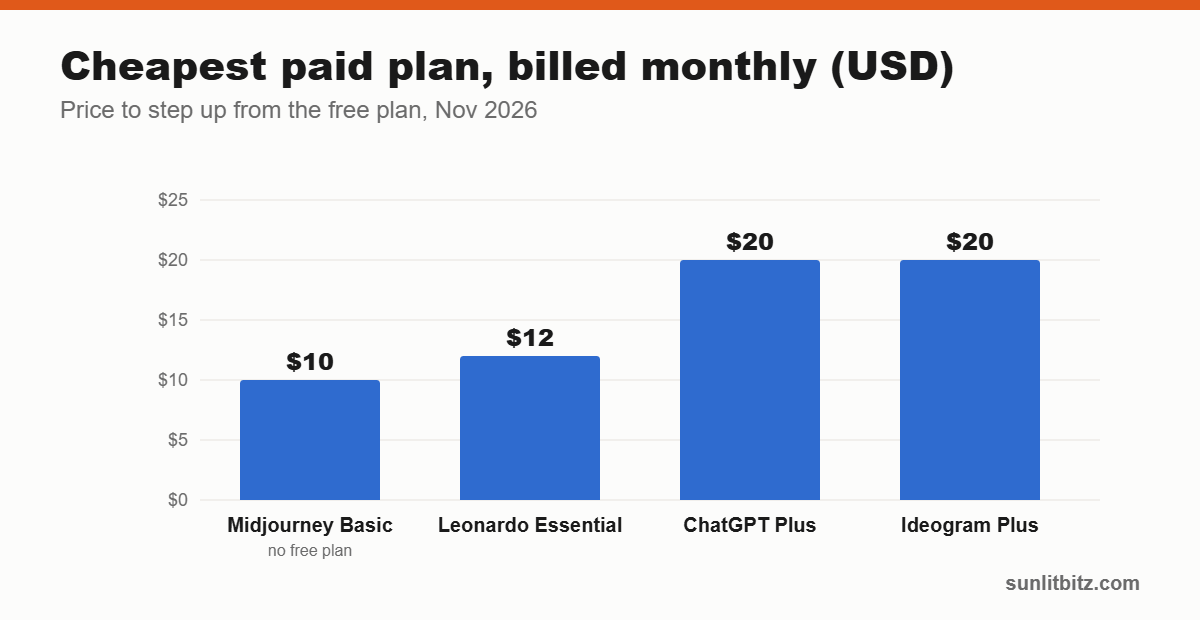
| Tool | Free plan | Cheapest paid plan | Pricing page |
|---|---|---|---|
| Midjourney | No | Basic, $10 a month | Plans on Midjourney's site |
| Leonardo | Yes, 150 tokens | Essential, $12 a month | leonardo.ai/pricing |
| ChatGPT | Yes, “limited” | Plus, about $20 a month | chatgpt.com/pricing |
| Ideogram | Yes | Plus, $20 a month ($15 yearly) | ideogram.ai/pricing |
These prices come from each tool's pricing page and price trackers, not from a paid test: every result in this article was made on a free plan. Prices change often, so check the official page before you buy. Yearly billing is cheaper on most of these tools.
Free AI image generators vs paid: when is paying worth it?
Choosing between free AI image generators and a paid plan comes down to how many images you need and how you use them. Pay when at least one of these is true:
- Volume: you need many images a week, for posts, Pinterest pins and social, and keep hitting free limits.
- Privacy: you don't want your images public (Leonardo lists private generations as a paid feature).
- Model choice: you want the best model for each job; Leonardo's free plan is limited to its Auto model.
- Client or commercial work: you want the clearest usage rights. Read each tool's terms; paid plans usually give the most certainty.
Stay free if you publish a few posts a week and need one featured image each. Use ChatGPT Free or Leonardo Free for the main image, and Ideogram when you want several options to choose from.
Key Takeaway: Pay for volume, privacy and model choice, not for basic quality. In this test, the free plans already handled the basic featured-image job well.
Our verdict
In this test of free AI image generators, the free plans did better than most bloggers expect. ChatGPT Free and Leonardo Free both scored 9/10 with exact text and the right layout, Ideogram gave four choices per prompt, and Gemini was fastest. Start free, and upgrade only when limits, privacy or volume get in your way. If you are budgeting your blog tools, our Black Friday AI deals list shows which paid plans are discounted right now.
Free AI image generators FAQ
Is there a decent free AI image generator?
Yes. In our test, ChatGPT Free and Leonardo Free both made a clean 16:9 featured image with exactly the text we asked for. Ideogram Free and Gemini Free also did well, with small mistakes in where they placed the text.
What is the best AI image generator to pay for?
It depends on the job. For bloggers, Leonardo Essential ($12 a month) is a cheap step up with more tokens and private images. ChatGPT Plus (about $20) suits you if you also use ChatGPT for writing. Midjourney ($10 and up) has no free plan, so test the free tools first.
Is there any 100% free AI image generator?
Several tools have free plans, but all of them have limits: ChatGPT lists free image creation as “limited”, Leonardo gives a token allowance and Ideogram uses credits. For a few images a week, those free limits are usually enough.
What is the #1 AI image generator?
There is no single winner. In our blogger test, ChatGPT gave the highest resolution and Leonardo matched its accuracy. For many options per prompt, Ideogram was best.
Can I use free AI images on my blog?
Usually yes, but read each tool's terms of use, especially for client or commercial work. Also note that some free plans make your images public, such as Leonardo, which lists private generations as a paid feature.
I agree that chatgpt is always the best